
Milk vs Milk Splash: Key Differences Explained (Starbucks)
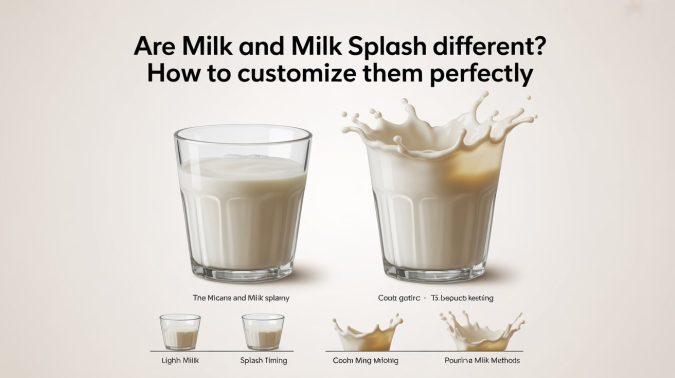
When ordering at Starbucks or using the app, you’ll often see both “Milk” and “Splash of Milk” options. Many customers assume they are basically the same, just worded differently.
However, Starbucks Milk and Milk Splash serve very different purposes, and choosing one over the other can change your drink’s calories by 100–200+ calories.
In this detailed guide, we’ll cover:
- The key differences between standard milk and splash of milk
- Exact portion sizes and how much milk you actually get
- Calories breakdown for every popular milk type
- Real drink examples to see the impact
- Step-by-step instructions to customize splash perfectly in the Starbucks app
- Pros, cons, and common mistakes to avoid
Whether you’re tracking calories, want a lighter drink, or simply want better flavor balance, this guide will help you order smarter.
What is milk at Starbucks?
At Starbucks, choosing “Milk” means you get the standard full portion of milk in your drink. This is the default amount used in most lattes, cappuccinos, chai teas, and other creamy beverages.
The quantity usually ranges from 8 to 12 ounces depending on the drink size (Tall, Grande, or Venti). Full milk makes the drink rich, creamy, and well-balanced.
If you are ordering an iced coffee, Americano, or brewed coffee and select “Milk,” you will receive a much larger amount, which also adds more calories.
What Is Milk Splash or Splash of milk at starbucks?
Milk Splash (also called Splash of Milk) is Starbucks’ light portion option. It adds just a hint of color and mild creaminess without turning the drink fully milky.
Baristas typically pour it to about ½ inch or ¾ inch deep in the cup — roughly 1 to 3 ounces depending on the drink size.
This option is very popular for brewed coffee, iced coffee, Americanos, and teas when customers want only a subtle touch of milk.
Key Differences Between Milk and Milk Splash at Starbucks
Feature | Standard Milk (Full Portion) | Milk Splash (Light Portion) |
Portion Size | 8–12 oz (full serving, depends on drink size) | 1–3 oz (typically ¼ inch light, ½ inch regular, ¾ inch extra) |
Purpose | Makes the drink rich, creamy and balanced | Adds subtle color, mild creaminess and softens the bold coffee/tea flavor without making it milky |
Calories Impact | High (100–250+ calories) | Low (15–60 calories for a typical splash) |
Best For | Lattes, cappuccinos, chai lattes, macchiatos | Iced coffee, Americano, cold brew, brewed coffee, black tea |
App Selection | “Milk” option | “Splash of Milk” or “Creamer” section |
Consistency | Standardized by drink recipe | Free-poured — can vary slightly by barista |
How to Customize Milk and Milk Splash at Starbucks App
If you want to control calories while ordering at Starbucks, learning how to customize milk splash in the Starbucks app is one of the smartest things you can do. Here’s a simple step-by-step guide to get the perfect amount of creaminess without adding too many calories.
Step 1: Pick the Right Base Drink
Start with drinks that work best with a light milk addition, such as iced coffee, Americano, cold brew, or brewed coffee. These drinks give you more control when adding a splash of milk at Starbucks.
Step 2: Choose Your Milk Type
In the app, go to the Milk or Creamer section and select from popular options:
- 2% Milk or Nonfat Milk (for lower calories)
- Almond Milk, Oat Milk, or Coconut Milk (for dairy-free choices)
Step 3: Decide Between Full Milk or Splash of Milk
- Choose standard milk if you want a rich, creamy drink (best for lattes).
- Choose a splash of milk if you want just a hint of creaminess with fewer calories — perfect when tracking your intake.
Step 4: Adjust the Splash Amount
- Light Splash (¼ inch) — lowest calories
- Regular Splash (½ inch) — most common choice for iced coffee or Americano
- Extra Splash (¾ inch) — for slightly more creaminess
This way you can easily customize how much milk is in a splash at Starbucks according to your taste and calorie goals.
Step 5: Add Other Customizations
You can also add sugar-free syrups, extra ice, or no whip to keep the drink lighter.
Step 6: Review and Place Your Order
Always check the customization summary in the app before ordering. After you pick up your drink, look at the cup sticker — it usually shows something like “Milk ½” when a splash has been added correctly.
Pro Tip: Ordering splash of milk in Starbucks app gives more consistent results than asking verbally at the counter. A typical splash adds only 15–60 calories depending on the milk type, making it a great option for low-calorie Starbucks drinks.
How Much is a Splash of Milk at Starbucks?
A splash of milk at Starbucks usually works out to somewhere between 1 and 3 ounces, depending on how the barista pours it and what size drink you’ve ordered. It’s not an exact science — baristas free-pour it based on depth in the cup rather than measuring it out — but there’s a fairly consistent range you can expect.
What Does a ½ Inch Splash of Milk Mean?
When Starbucks (or a customer) refers to a “½ inch splash,” they mean the barista pours milk until it sits about half an inch deep at the bottom of the cup before the coffee or tea is added. In a Grande cup, that ½ inch usually comes out to around 1–2 ounces of milk. It’s enough to lighten the color and soften the flavor slightly, without making the drink taste milky the way a full pour would.
What is a ½ Splash at Starbucks? (Regular vs Extra)
A “½ splash” is really just shorthand for the regular splash amount — the ½ inch pour mentioned above. If you want a bit more, you can ask for an “extra splash,” which is closer to ¾ inch, or roughly 2–3 ounces. Here’s how it typically breaks down by size:
| Cup Size | Regular Splash (½ inch) | Extra Splash (¾ inch) |
|---|---|---|
| Tall | ~1 oz | ~1.5–2 oz |
| Grande | ~1.5–2 oz | ~2–2.5 oz |
| Venti | ~2 oz | ~3 oz |
Because the quantity stays small even at the “extra” level, the calorie difference between a regular and extra splash is usually minor — often just 5–15 extra calories.
How Much Milk is in a Splash at Starbucks? (Exact Measurements)
Starbucks uses these common measurements for splash of milk:
- Regular Splash: About ½ inch ≈ 1–2 ounces (most common in Tall and Grande)
- Extra Splash: About ¾ inch ≈ 2–3 ounces (often in Venti drinks)
According to barista experiences, a typical Grande iced coffee gets roughly 2 — 2.5 ounces of splash, while a Venti may get closer to 3 ounces.
Because the quantity is small, the calorie addition stays very low compared to full milk.
How Many Calories in a Splash of Milk?
A typical splash of milk adds somewhere between 15 and 40 calories, depending on the type of milk you choose and how generous the pour is. That’s a small fraction of what full milk would add to the same drink, which is why splash is such a popular pick for anyone watching their calorie intake.
Calories by Milk Type (2 oz Splash)
| Milk Type | Calories (2 oz Splash) | Calories per oz | Best For |
|---|---|---|---|
| 2% Milk | 30 cal | 15 cal | Balanced taste |
| Whole Milk | 38 cal | 19 cal | Rich and creamy |
| Nonfat / Skim Milk | 20 cal | 10 cal | Lowest calorie option |
| Almond Milk | 16 cal | 8 cal | Nutty, dairy-free |
| Oat Milk | 36 cal | 18 cal | Naturally sweet flavor |
| Coconut Milk | 22 cal | 11 cal | Light tropical taste |
Note: In larger Venti drinks, the splash may be slightly more, so calories can be 10–15% higher.
Calories by Cup Size (Tall vs Grande vs Venti)
Since Venti cups get a slightly bigger splash than Tall or Grande, the calorie count creeps up a little as the size goes up — even with the same milk type. As a rough guide, using 2% milk as an example:
- Tall: roughly 15–20 calories for a regular splash
- Grande: roughly 25–30 calories for a regular splash
- Venti: roughly 30–40 calories for a regular splash
Swap in almond or nonfat milk and you can shave several calories off each of these, while oat or whole milk will sit a little higher.
If you want to see how these numbers add up across your whole order, check out our full Starbucks Calorie Calculator 2026 guide for a deeper breakdown.
Starbucks Milk Splash Calories by Milk Type
Here are approximate calories for a typical 2 oz splash (the most common amount):
Milk Type | Calories (2 oz Splash) | Calories per oz | Best For |
2% Milk | 30 cal | 15 cal | Balanced taste |
Whole Milk | 38 cal | 19 cal | Rich and creamy |
Nonfat / Skim Milk | 20 cal | 10 cal | Lowest calorie option |
Almond Milk | 16 cal | 8 cal | Nutty, dairy-free |
Oat Milk | 36 cal | 18 cal | Naturally sweet flavor |
Coconut Milk | 22 cal | 11 cal | Light tropical taste |
Note: In larger Venti drinks, the splash may be slightly more, so calories can be 10–15% higher.
Pros and Cons of Choosing Milk Splash vs Full Milk
Pros of Milk Splash:
- Significantly lower calories — ideal for calorie tracking
- Lets the original coffee or tea flavor shine through
- Keeps the drink lighter and more refreshing
Cons of Milk Splash:
- Less creamy texture
- Limited quantity — you can’t make it as milky as full milk
Tools and Resources for Customization
- Steam Wand: Professional frothing in cafés.
- Handheld Frother: Convenient for home use.
- Electric Frother: Consistent microfoam for multiple milk types.
- Thermometers: Ensure correct temperature for dairy or plant-based milk.
- Tutorials: Online barista courses, recipe videos, latte art guides.
Using the right tools ensures foam stability, flavor enhancement, and precise control over milk texture
Common Mistakes to Avoid with Milk Splash at Starbucks
- Thinking “Splash” is the same as regular milk
- Selecting “Milk” in the app and then asking for splash at the counter (may result in extra charges)
- Ignoring the calories splash still adds
- Choosing the wrong milk type (oat splash can make drinks sweeter than expected)
Alternatives to Milk and Milk Splash
- Plant-Based Froths: Almond, oat, soy, and coconut foams
- Cream or Half-and-Half: For richer beverages
- Non-Dairy Whipped Toppings: For decorative purposes in hot drinks
These alternatives are particularly relevant for vegan, lactose-intolerant, or calorie-conscious consumers.
Conclusion
Now you clearly understand the difference between Starbucks Milk and Milk Splash. If you are watching your calories, choosing a splash of milk is a smart way to add just a touch of creaminess with only 15–60 extra calories.
Try it yourself: Go back to the Starbucks Calorie Calculator at the top of this page, add a splash of your favorite milk, and see the exact difference.
Which one do you prefer — full milk or splash of milk? Let us know in the comments and plan your next order wisely!
Frequently Asked Questions (FAQs)
1: How many calories does a splash of milk add at Starbucks?
A typical 2 oz splash adds 15–40 calories depending on the milk type. For example, almond milk splash is around 16 calories, while oat milk or whole milk is closer to 36–38 calories. This is much lower than full milk, which can add 100–200+ calories.
2: How much milk is actually in a “splash” at Starbucks?
A regular splash is usually about ½ inch deep (1–2 ounces in Grande size). An extra splash is roughly ¾ inch (2–3 ounces). In practice, baristas aim for 2–2.5 ounces in most iced drinks.
3: Is “splash of milk” the same as “creamer” in the Starbucks app?
They are very similar. “Splash of Milk” and “Creamer” both refer to the light portion option. Use whichever appears in the app for your drink — the result is usually the same light addition.
4: Can I get more than a splash without it becoming full milk?
Yes — ask for “Extra Splash” or “¾ inch splash” in the app or tell the barista. However, if you go beyond ~4 ounces, it may be charged as full milk and the calories will increase significantly.
5: Does splashing milk cost extra at Starbucks?
In most cases, no. A standard splash or extra splash is included at no additional charge for drinks like iced coffee or Americano. Full milk on a black coffee drink may sometimes have a small upcharge.
6: Which milk type is best for the lowest calories with a splash?
Almond milk (≈16 cal for 2 oz) and nonfat/skim milk (≈20 cal) are the lowest. Oat milk adds more calories (≈36 cal) but gives a naturally sweeter taste.
7: Why does my splash sometimes look different at different stores?
Pour amounts can vary slightly by barista and store. Some are more generous than others. Ordering through the app helps make it more consistent because the customization is clearly specified.
8: Is it better to choose splash or full milk when tracking calories?
For calorie tracking, splashing milk is almost always better. It gives just enough creaminess while keeping calories very low — perfect for iced coffees and Americanos.